Secure AI is a desktop assistant that analyzes your content without sending data to third parties. Install locally, pick a plan, and start solving real work—safely.
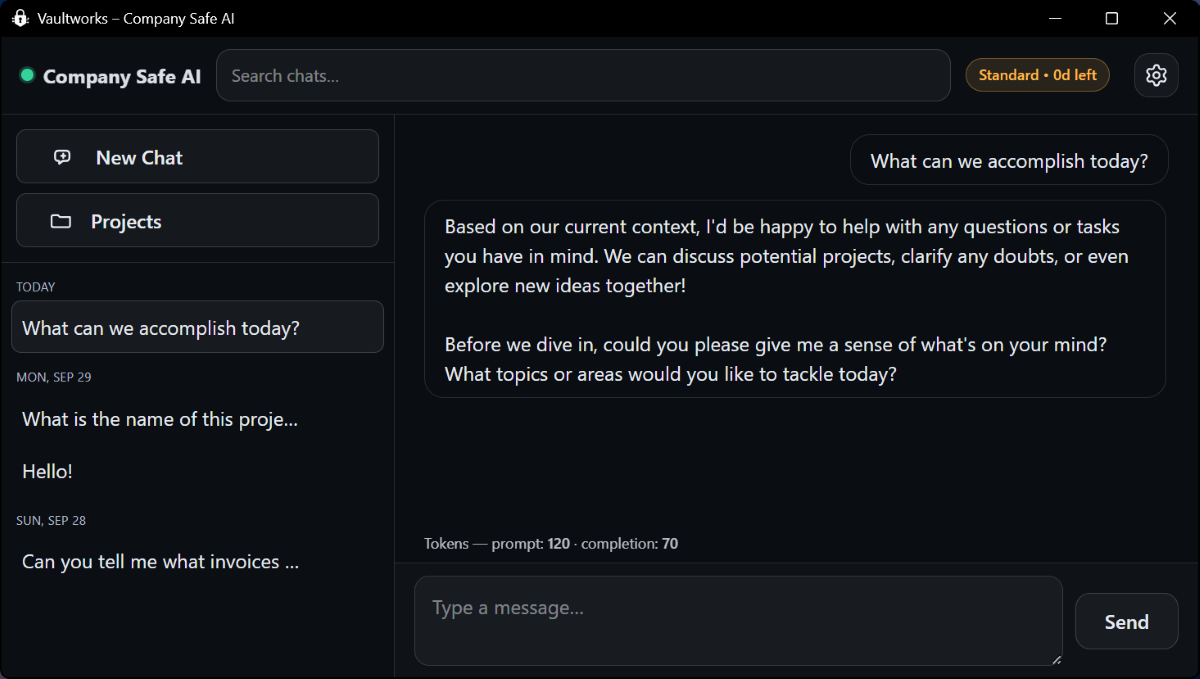
Built by Vaultworks for privacy, speed, and a no-surprises experience.
Runs fully offline. Your content never leaves your device or network.
Start with chat-only, add file analysis on Plus, and unlock image understanding on Pro.
Understands and responds in multiple languages for global teams.
Clean chat workflow with projects and fast search—no accounts or keys required.
Optimized for everyday hardware; GPUs accelerate but aren’t required for chat/files.
Your data, your environment. Works without cloud accounts or telemetry.
Install, configure, and go—minutes, not days.
Secure AI uses Ollama LLMs and Tesseract. When those installers appear, keep defaults and click “Next/Install”.
After install, click the gear icon (top-right) to choose models and set preferences.
Ask anything. All chat data is stored locally, so you can safely use PII and proprietary info—only you have access.
We’re happy to assist pilots and teams during setup.
Simple plans while we’re in beta. Lifetime discount for early ENTERPRISE customers.
Standard: chat-only, fully local.
Plus: adds file attachments & analysis (CSV/XLSX/PDF/DOCX…).
Pro: adds image understanding; requires minimum specs (modern CPU, 8GB RAM, any GPU).
No. Indexing and inference are local. No external API calls or telemetry.
Not for Standard or Plus. For Pro image analysis, any GPU helps and 8GB RAM is recommended.
Yes—Enterprise is Custom. Email support@vaultworks.ai and we’ll coordinate requirements.
We’re here to help during the pilot. Send us a note and we’ll follow up shortly.